
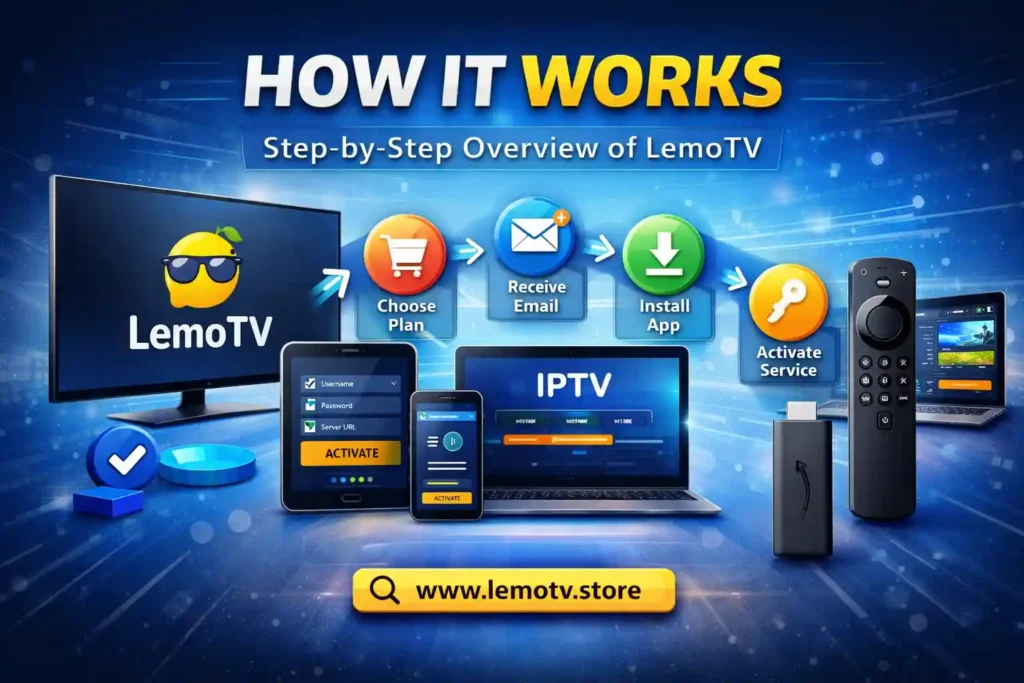
How It Works LemoTV Store. If you are wondering how LemoTV operates, how activation works, and what happens after you place an order, this guide explains everything step by step in a simple and transparent way.
LemoTV is designed to be easy to use, fast to activate, and compatible with all major devices, allowing you to access your service anytime, anywhere.
Table of Contents
Step 1: Choose Your LemoTV Plan
The first step is selecting a subscription plan that matches your needs. LemoTV offers flexible options suitable for different users, whether you want short-term access or long-term usage.
When choosing a plan, you can consider:
- Subscription duration
- Number of supported devices
- Personal or multi-device use
Once you select your plan, proceed to checkout using our secure payment system.
Step 2: Secure Checkout & Order Confirmation
After completing your purchase, your order is processed automatically.
What happens next:
- Your payment is securely verified
- Your order is confirmed
- Your activation details are prepared
📩 You will receive your login credentials by email.
This email includes everything you need to activate LemoTV, such as:
- Username
- Password
- Server or portal URL
Please make sure to check your Spam / Junk folder if you do not see the email within a short time.
Step 3: Install a Compatible Player App
LemoTV works with a wide range of third-party IPTV player applications available on official app stores. These apps act as media players that allow you to enter your credentials and access your service.
You can install a compatible app on:
- Smart TVs
- Android phones & tablets
- iPhone & iPad
- Amazon Firestick
- Windows & macOS computers
- MAG devices & set-top boxes
⚠️ LemoTV does not own, host, or distribute any third-party apps. You are free to choose the app that works best for your device.
Step 4: Activate Your LemoTV Service
Once the app is installed, activation is simple.
Inside the app:
- Open the player
- Choose the login method (Xtream Codes, M3U, or Portal login)
- Enter the credentials sent to your email
- Confirm and connect
After login, the app will sync data automatically. This usually takes a few seconds to one minute, depending on your internet speed.
When loading is complete, your service is fully activated.
Step 5: How It Works LemoTV
After activation, you can start using LemoTV immediately.
You will be able to:
- Browse categories
- Switch between channels smoothly
- Access content on supported devices
- Enjoy stable performance worldwide
Your service works as long as your subscription remains active and your device is connected to the internet.
Multi-Device Usage Explained
Depending on your subscription plan, LemoTV may support multiple devices (up to 5).
Important notes:
- All devices use the same login details
- Simultaneous usage depends on your plan
- Sharing credentials publicly is not allowed
- Exceeding limits may cause interruptions
For best performance, use LemoTV only on your personal devices.
How LemoTV Delivers Content
LemoTV operates as a digital service provider.
Key points:
- LemoTV does not host or store any media files
- Content is provided by third-party sources
- Streams are accessed through compatible apps
- Availability may vary by region
This structure allows LemoTV to remain flexible, scalable, and compatible worldwide.
Internet & Performance Requirements
To ensure smooth performance:
- Use a stable internet connection
- Recommended speed: 10 Mbps or higher
- Wired or strong Wi-Fi connection preferred
A VPN is optional, but in some regions it may improve stability.
Support & Assistance
If you experience any issues at any step, our support team is available to help.
📧 Email: [email protected]
🌐 Website: https://lemotv.store
📌 For faster support, please include your order ID when contacting us.
Why LemoTV?
✔ Simple ordering process
✔ Fast activation
✔ Works on all major devices
✔ Multi-device support
✔ Reliable service worldwide
✔ Official customer support